
Bluelight Filter
Description
In today's digital era, where screen time is at an all-time high, safeguarding our eyes from blue light is crucial. Enter Bluelight Filter, a free app designed to minimize blue light exposure from your screen. Its practical features and eye-protection capabilities have made it a popular choice among users.
ADJUSTABLE COLOR TEMPERATURES FOR REDUCED EYE STRAIN
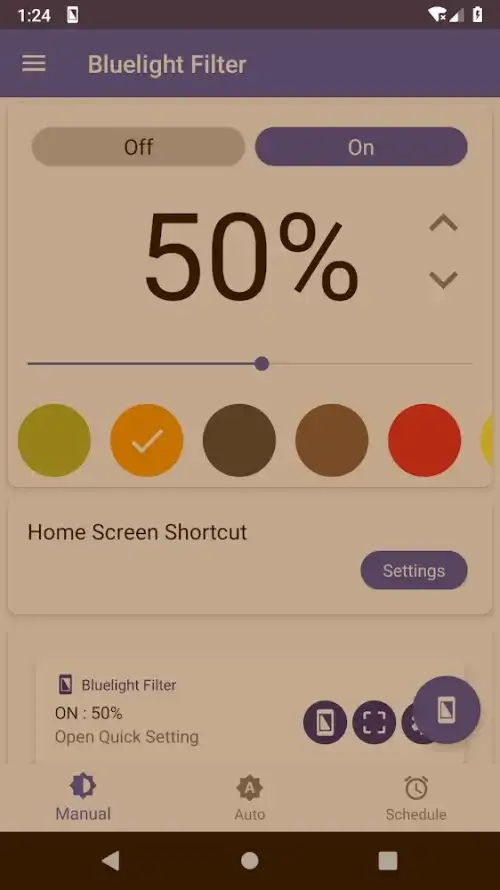
Bluelight Filter offers a natural warm color filter with seven different color tones, allowing you to customize your screen's appearance. Whether you prefer a warm amber or a soothing sepia tone, Bluelight Filter caters to your preferences while enhancing your screen's visual appeal. The app extends its blue light filtering capabilities across your device, including the notification shade, lock screen, and menu bar. With Bluelight Filter, blue light exposure is minimized as you interact with your device, ensuring a win-win situation for your eyes!
 |
 |
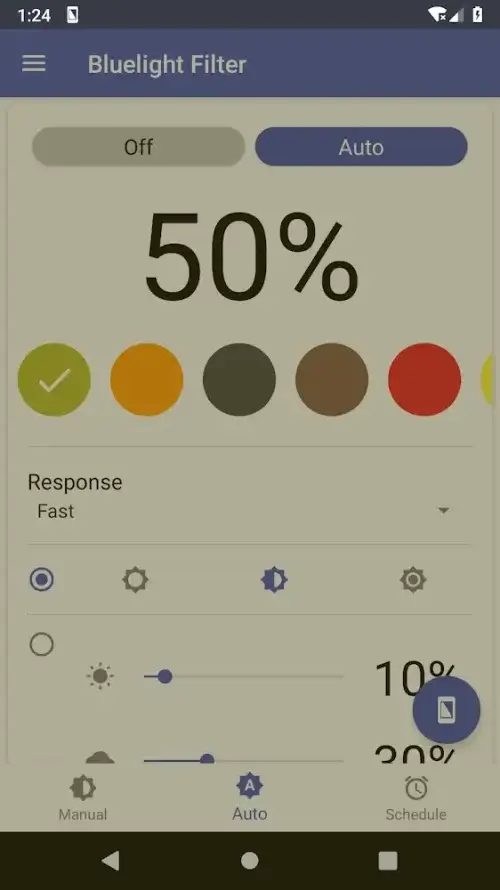
AUTOMATIC MODE: THE GUARDIAN ANGEL FOR YOUR EYES
With Bluelight Filter's auto mode, your screen's colors automatically adjust to the ambient light, protecting your eyes. This intelligent feature evaluates the lighting conditions and modifies the screen's colors accordingly, ensuring eye protection whether you're in bright sunlight or under a cozy blanket. It's like having a personal eye doctor at your service!
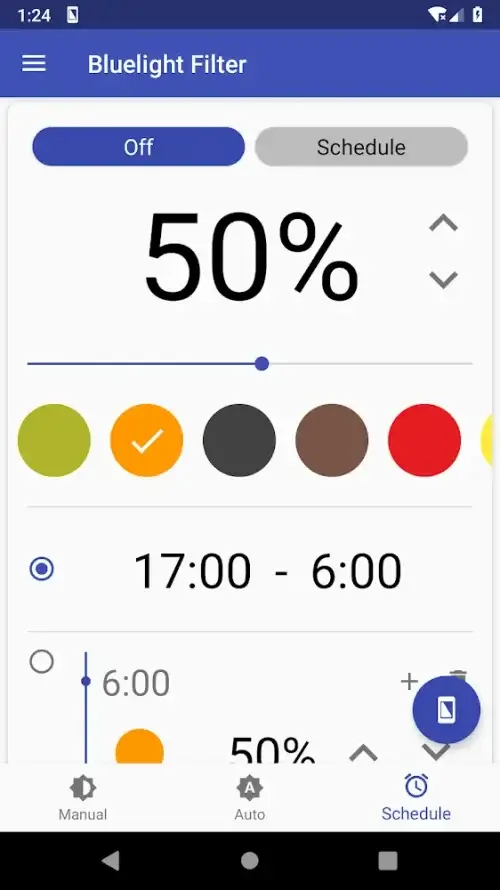
YOUR VISION'S IDEAL TIMETABLE
Bluelight Filter's scheduling feature is unmatched when it comes to eye protection. It allows you to adjust your screen's hue and brightness based on the time of day. Whether you're working late at night or early in the morning, Bluelight Filter helps reduce eye strain by modifying the color temperature. It's like having a personalized routine to keep your eyes comfortable and relaxed throughout the day.
MANY CONVENIENT SHORTCUTS
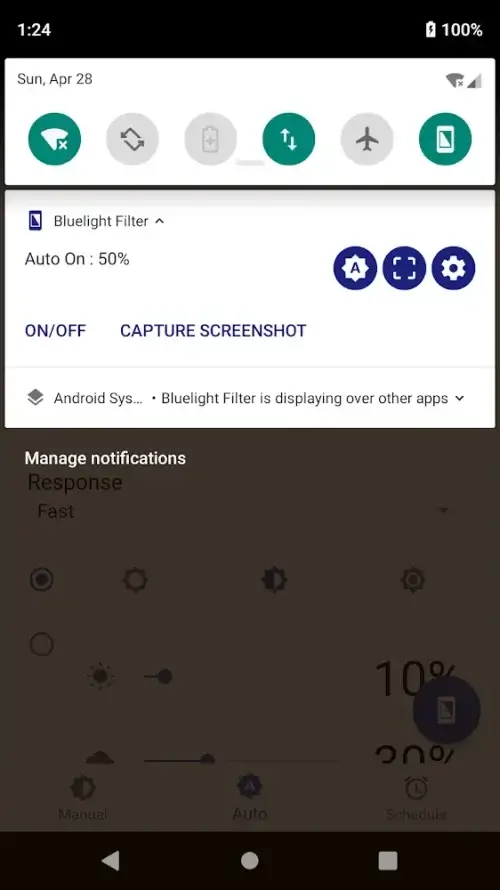
Bluelight Filter prioritizes user-friendliness, providing several shortcuts in the notification box for frequently used functions. These customizable shortcuts offer quick access to features like activating the filter, ensuring you can protect your eyes with ease. Accessible directly from the home screen, these shortcuts make it simple for users, regardless of their technical skills, to adjust screen hues and safeguard their eyes. Bluelight Filter focuses on enhancing the user experience.
CRISP, UNDISTORTED SCREENSHOTS
Thanks to Bluelight Filter, you can capture clear screenshots without the interference of the screen filter. Say goodbye to blurry images; this app ensures your screenshots are sharp and undistorted, benefiting both your vision and your online audience.
 |
 |
Mod FeaturesPro Unlocked
App Information
Installation Guide
Available Versionsv6.7.5 - Pro
Bluelight Filter · 15 MB
Pro Unlocked
Similar Apps You Might Like
Simple: Intermittent Fasting
Simple.Life Apps Inc · v6.4.64

Fit Workout Pro - AI Trainer
AUSTECH STUDIO · v1.48.4

Period Tracker-Pregnancy・Femin
Ocean Float Mobile · v1.17.3

CURVA: Gym Plans & Coach
Robert Mardall · v4.2.0

ZRX: Zombies Run
Zombies Run! Ltd · v12.3.3

Glucose Blood Sugar Logs
Futuretech Apps · v1.24

Calory - AI Calorie Counter
Funn Media · v3.5.1

Running App - GPS Run Tracker
Leap Fitness Group · v1.8.9

Workout Tracker - GymKeeper
GDev · v6.15

Ganbaru Method
Eugene Teo · v4.44.1

Interval Timer: Workout, HIIT
MDev Mobile Apps · v3.7.2

Kalorické Tabulky
a.s., Dine4Fit · v3.14.48
Bluelight Filter
v6.7.5 · 15 MB
Pro Unlocked
v6.7.5 - Pro
15 MB · APK
Download APK
Safety Verified
Scanned before publication
No malware detected
No root required
What's Unlocked
Pro Unlocked
|